Use this page after the Windows or Mac setup page. It prepares the account
pieces that OpenClaw needs for a Discord-backed workshop agent.
Bot tokens and API keys are secrets. Keep them out of screenshots, pull
requests, chat messages, and public docs.
Create A Discord Bot
- Install Discord from discord.com and create or sign in
to your account.
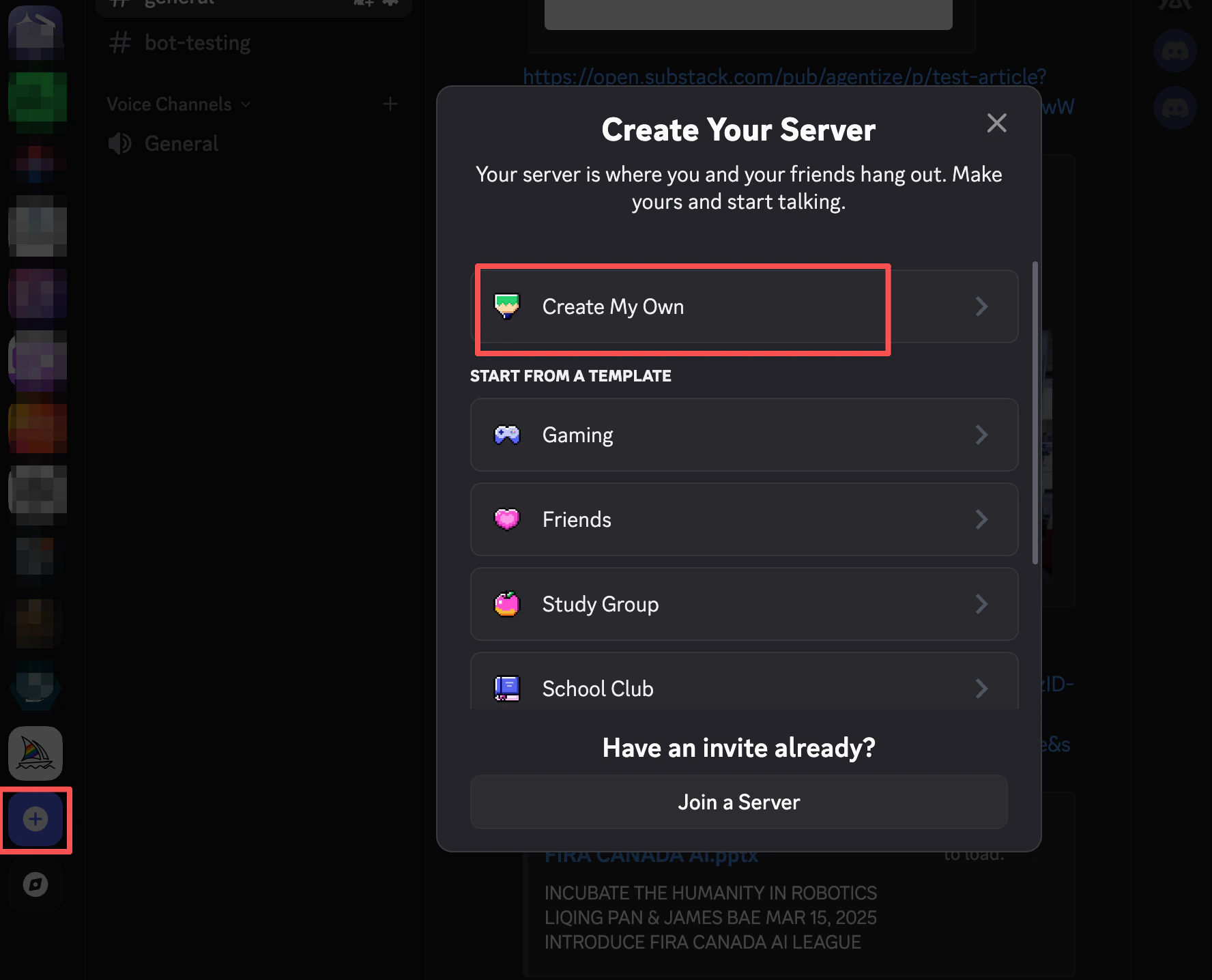
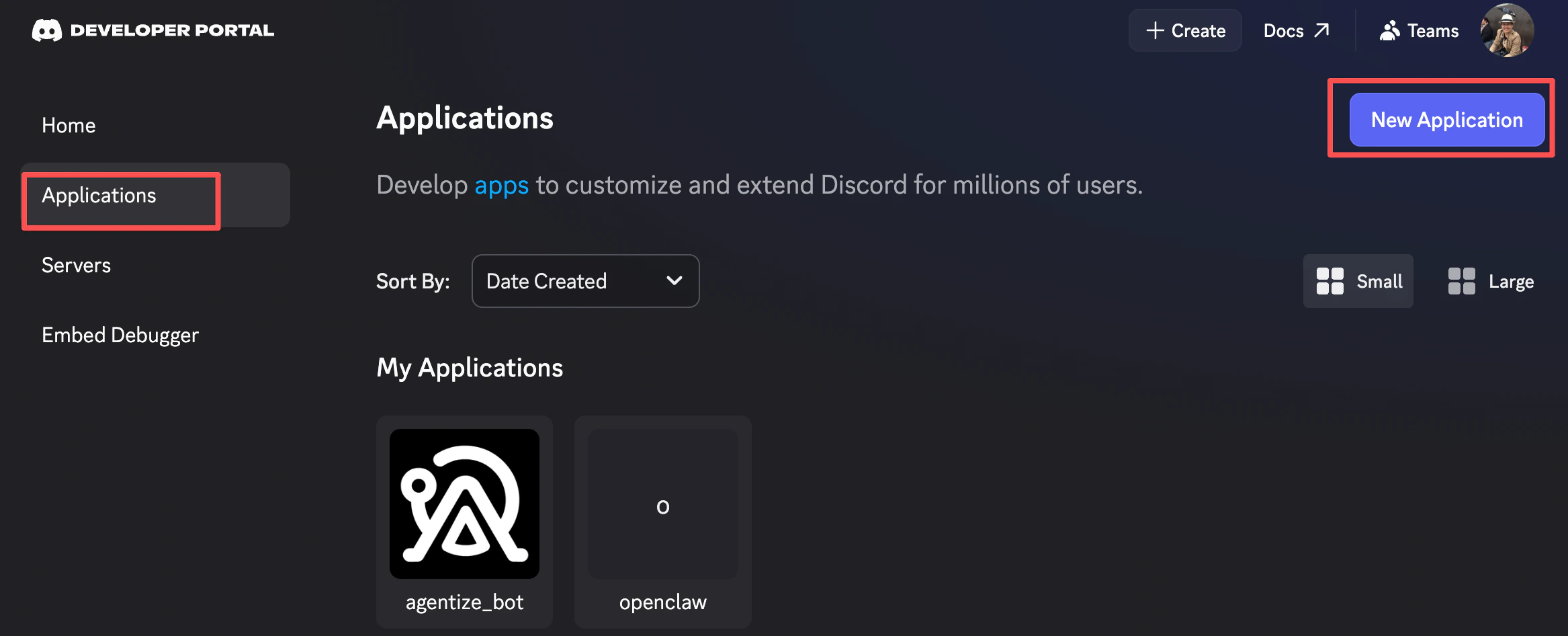
- Open the Discord Developer Portal and
create an application.
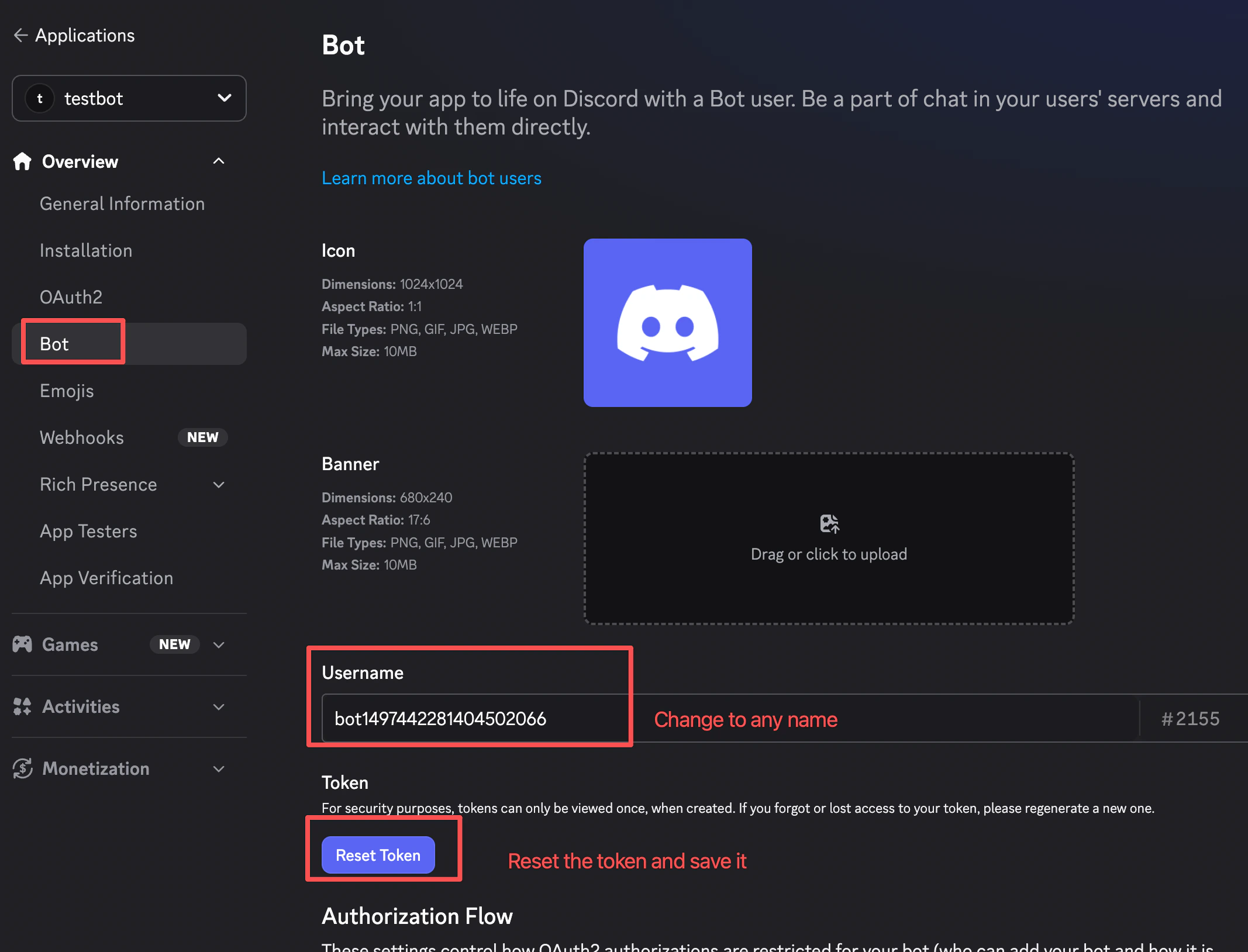
- Add a bot to the application.
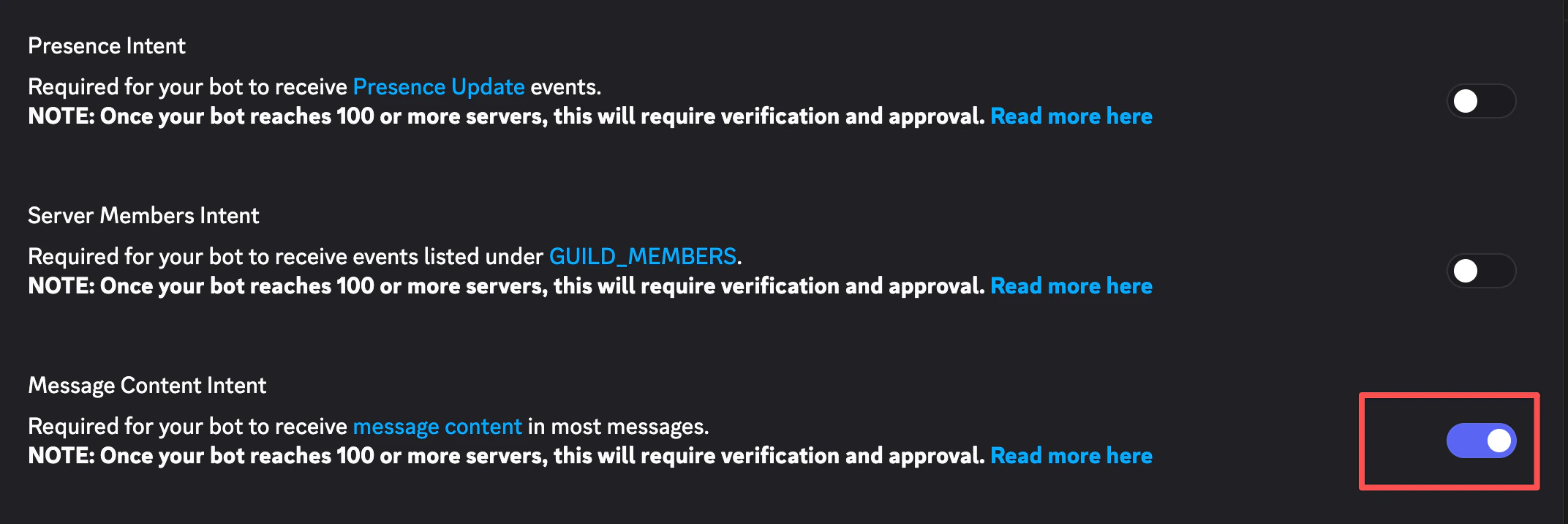
- Enable the bot intents required by your workshop flow. For the OpenClaw
workshop, enable Message Content Intent.
-
Generate or copy the bot token and save it locally for onboarding. Do not
paste it into source files.
-
Authorize the bot into the Discord server you will use for the workshop.
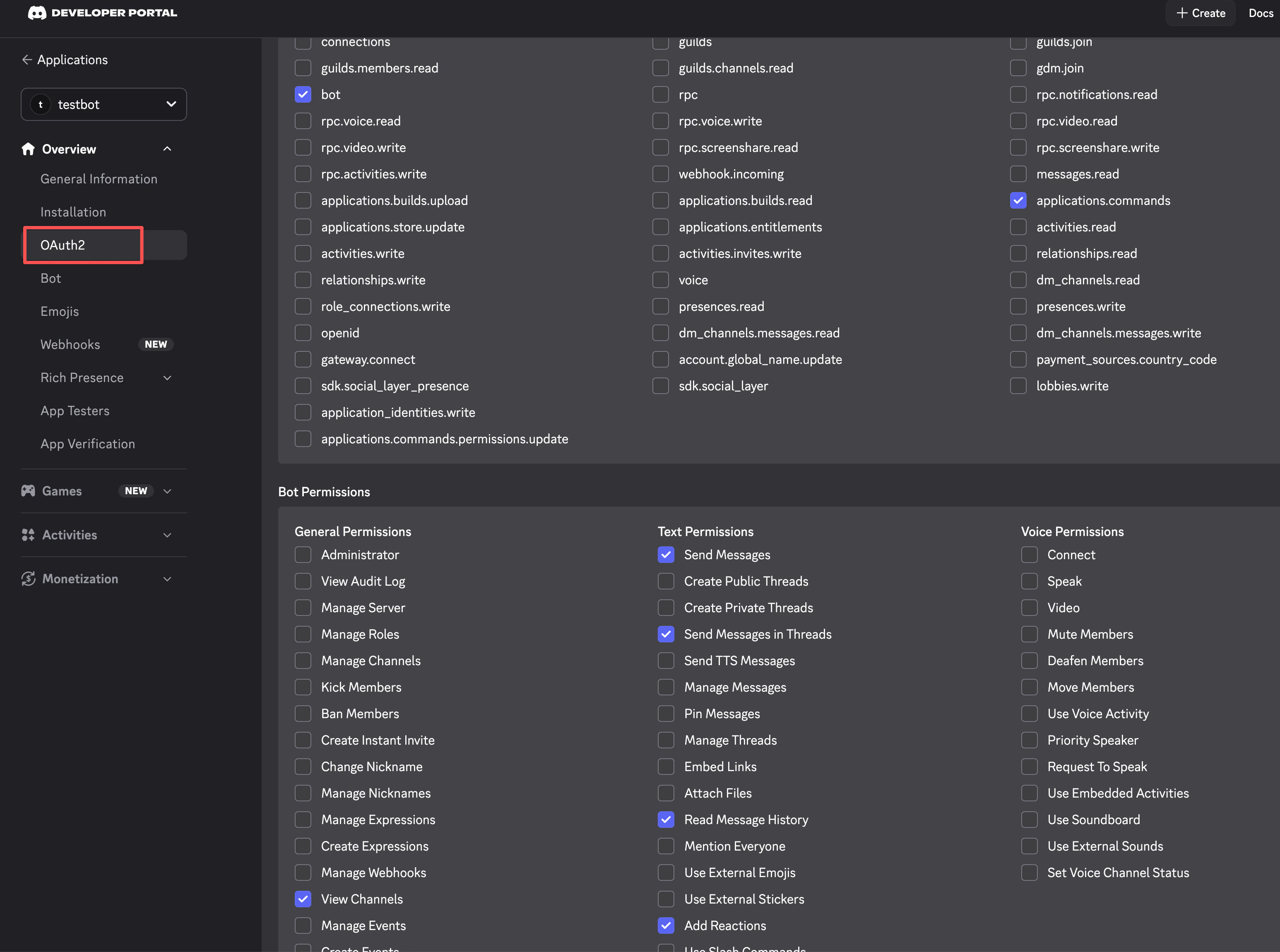 If Discord gives you an OAuth URL, open a new tab and paste it there.

Optional: Prepare Tavily Search
Use Tavily only if you want agents to perform web searches during the workshop.
- Go to tavily.com and create an account.
- Create an API key and save it locally for onboarding.
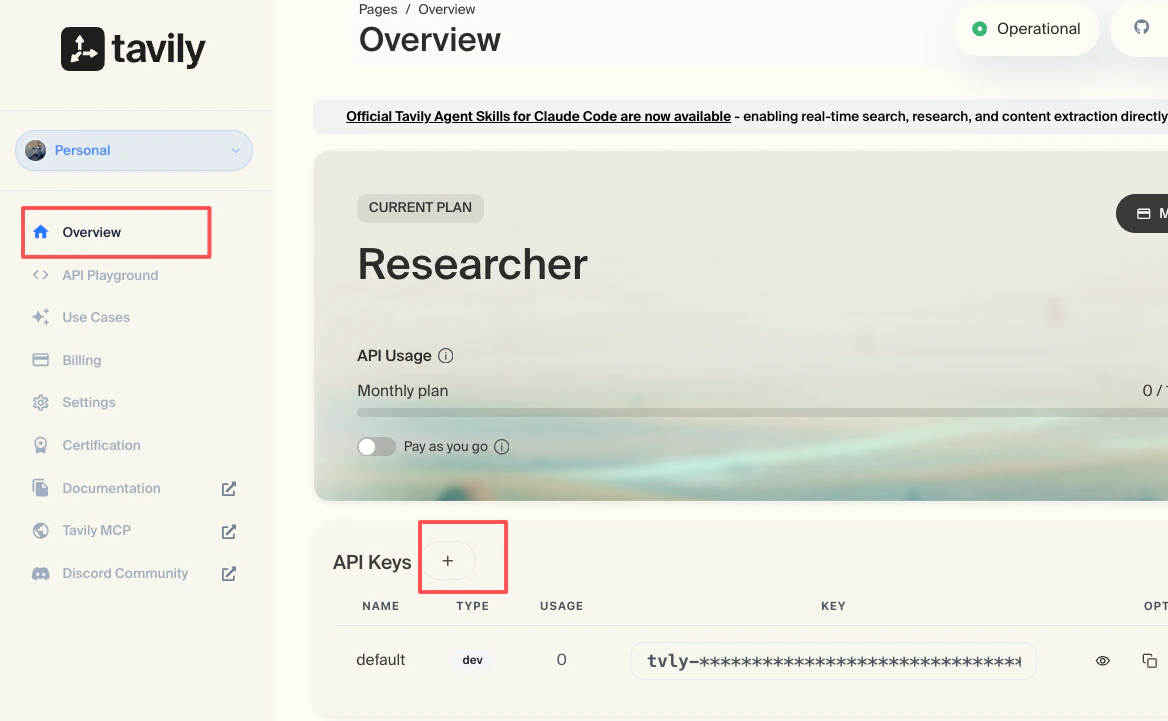 If you skip Tavily, the agent can still run local workflows, but web-search
features will not be available.
If you skip Tavily, the agent can still run local workflows, but web-search
features will not be available.
Install OpenClaw
Install the CLI:
Check the installed version and run diagnostics:
Run Onboarding
Start onboarding:
During onboarding:
- For channel, select
Discord.
- Paste the Discord bot token when prompted.
- Allow all channels unless your workshop has a narrower channel policy.
- For search provider, select
Tavily and paste the API key if you created one.
- For skills, enable
summarize.
- For hooks, enable
command-logger and session-memory.
- For bot launch, select
hatch in terminal.
After onboarding, keep OpenClaw Commands open as
the quick reference. 