> ## Documentation Index
> Fetch the complete documentation index at: https://labs.prompthon.io/llms.txt
> Use this file to discover all available pages before exploring further.
# 贡献者基础 GitHub 流程
> 选择正确的支持路径、认领 issue、fork 或创建分支,并打开聚焦的 pull request。
当你想报告问题、提出改进建议,或为 Agent Systems Handbook 做贡献时,请使用这条流程。
这里说的是本手册普通贡献工作实际采用的 GitHub 协作流程,不是生产发布流程。
顺序是:提问或创建 issue、认领工作、基于 `develop` 创建小分支、把 pull request
打回 `develop`,并回应 review。
## 选择正确入口
| 情况 | 第一步 | GitHub 步骤 |
| -------------------- | ---------------------------------------------------------------------------------------------- | ------------------------------------------- |
| 你在阅读时觉得某处困惑 | 在 Discord `#general-chats` 提问 | 问题变具体后再打开 issue |
| 你发现损坏链接、事实问题或工作流 bug | 查看 [支持指南](https://github.com/Prompthon-IO/agent-systems-handbook/blob/main/zh-Hans/SUPPORT.md) | 使用 `Bug Or Broken Surface Report` |
| 你有内容建议 | 如果形状还不清楚,先在 `#handbook-contributors` 讨论 | 使用 `Content Proposal` |
| 你想提出仓库流程或功能变更 | 如需分流帮助,先在 `#handbook-contributors` 提问 | 使用 `Repository Feature Or Process Proposal` |
| 你想认领现有任务 | 查看 Discord `#good-first-issues-feed` 或 GitHub issues | 在 issue 中评论认领请求 |
| 你打开了 PR,需要 review 协调 | 优先使用 PR thread | 只在需要轻量协调时使用 `#code-review` |
| 你想讨论 AI 新闻或生态信号 | 先在 `#ai-trends` 发起讨论 | 只有讨论变成明确的手册变更时才打开 issue |
如果你不确定想法是否已经适合放进 GitHub,请先从 Discord 开始。等工作已经具体到可以被审阅时,再写成 GitHub issue。
## 打开或找到 Issue
创建新 issue 前,请先阅读 [GitHub Issue 指南](/zh-Hans/contributor-kit/github-issue-guide)。
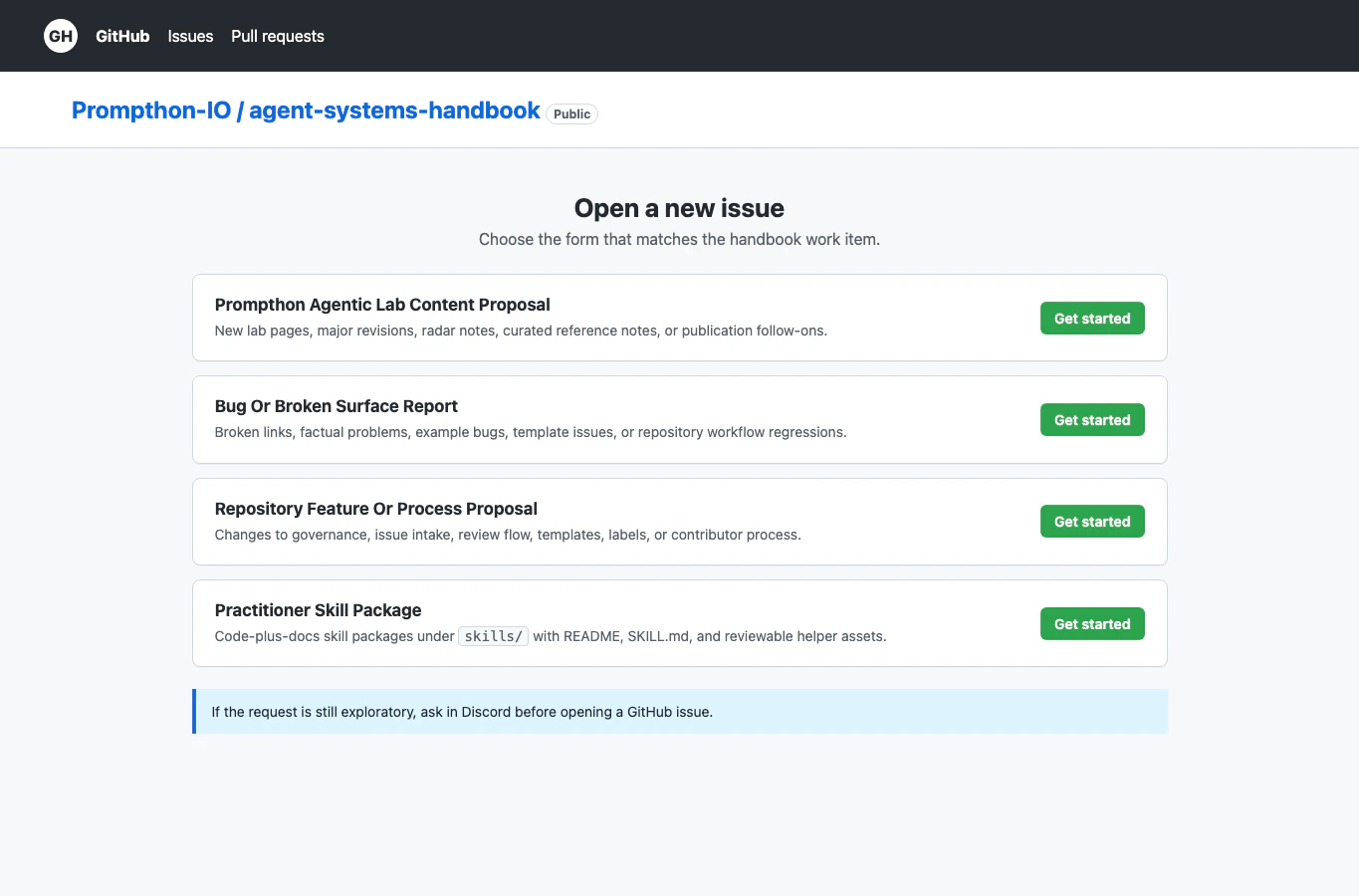 选择和工作匹配的表单:
* `Content Proposal`:新页面、重大页面修订、雷达笔记或精选参考笔记。
* `Source Project Proposal`:位于允许的 `examples/` 文件夹下、由仓库维护的示例或 starter。
* `Practitioner Skill Package`:位于 `skills/` 下的代码加文档技能包。
* `Repository Feature Or Process Proposal`:工作流、模板、标签、review 或贡献者流程变更。
* `Bug Or Broken Surface Report`:损坏链接、事实问题、示例缺陷、模板问题或工作流回归。
提交前,先搜索 open issues,避免重复。如果已有 issue 覆盖同一项工作,请使用已有 issue。
## 认领工作
不要悄悄开始大型贡献。认领状态应该在 issue 中可见。
对于尚未成为内部贡献者的公开贡献者,请留下这段评论:
```md theme={null}
Claim request:
- GitHub username:
- Planned scope:
- Expected first update:
```
选择和工作匹配的表单:
* `Content Proposal`:新页面、重大页面修订、雷达笔记或精选参考笔记。
* `Source Project Proposal`:位于允许的 `examples/` 文件夹下、由仓库维护的示例或 starter。
* `Practitioner Skill Package`:位于 `skills/` 下的代码加文档技能包。
* `Repository Feature Or Process Proposal`:工作流、模板、标签、review 或贡献者流程变更。
* `Bug Or Broken Surface Report`:损坏链接、事实问题、示例缺陷、模板问题或工作流回归。
提交前,先搜索 open issues,避免重复。如果已有 issue 覆盖同一项工作,请使用已有 issue。
## 认领工作
不要悄悄开始大型贡献。认领状态应该在 issue 中可见。
对于尚未成为内部贡献者的公开贡献者,请留下这段评论:
```md theme={null}
Claim request:
- GitHub username:
- Planned scope:
- Expected first update:
```
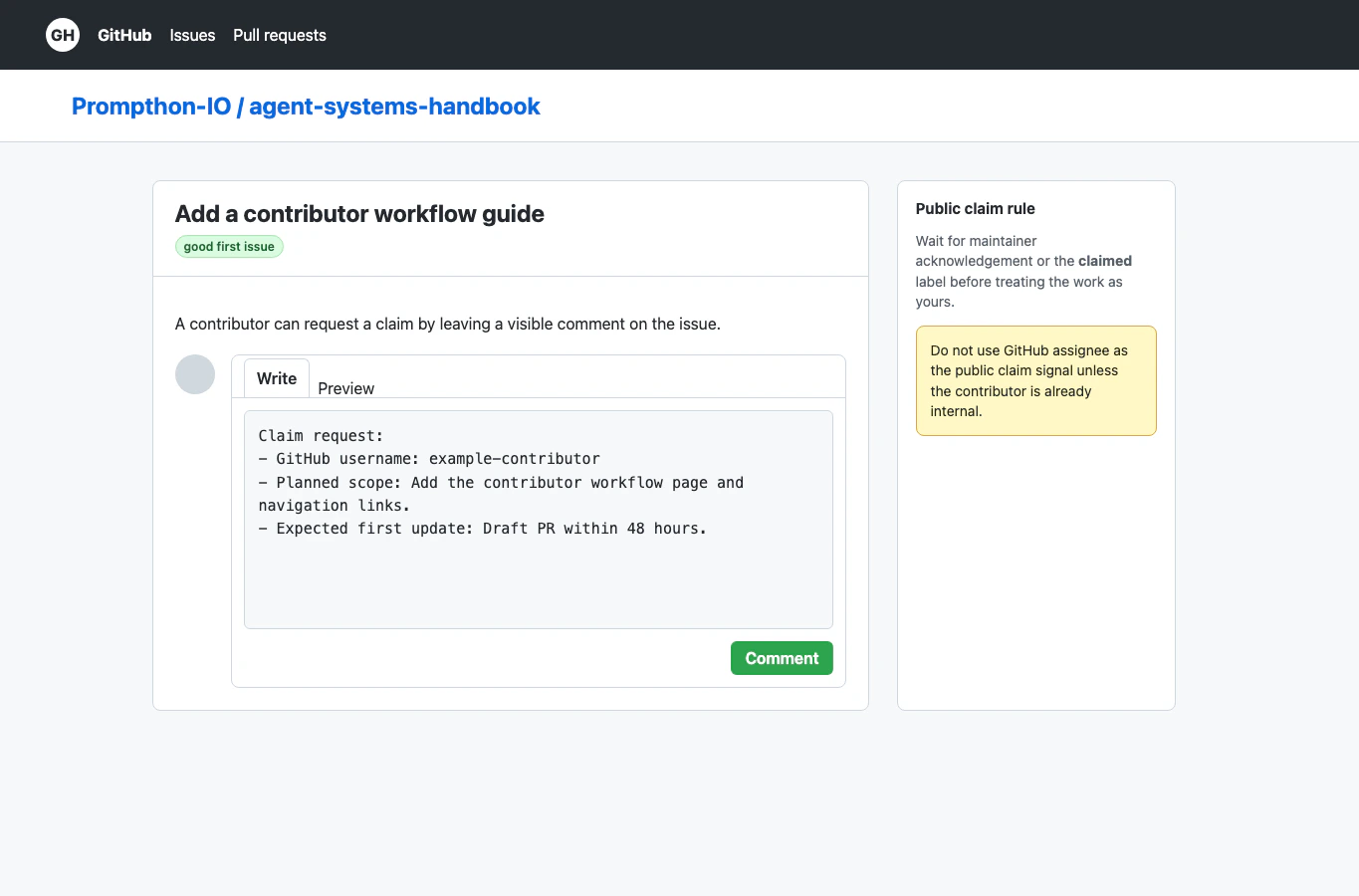 等维护者回复或添加 `claimed` 标签后,再把这项工作视为自己正在负责。除非贡献者已经是本仓库的内部贡献者,否则维护者应保持 GitHub assignee 字段为空。
如果你的计划发生变化,请先补充一条简短评论,再改变范围。
## 从 Fork 或分支开始工作
如果你没有仓库写权限,请先 fork 仓库。
等维护者回复或添加 `claimed` 标签后,再把这项工作视为自己正在负责。除非贡献者已经是本仓库的内部贡献者,否则维护者应保持 GitHub assignee 字段为空。
如果你的计划发生变化,请先补充一条简短评论,再改变范围。
## 从 Fork 或分支开始工作
如果你没有仓库写权限,请先 fork 仓库。
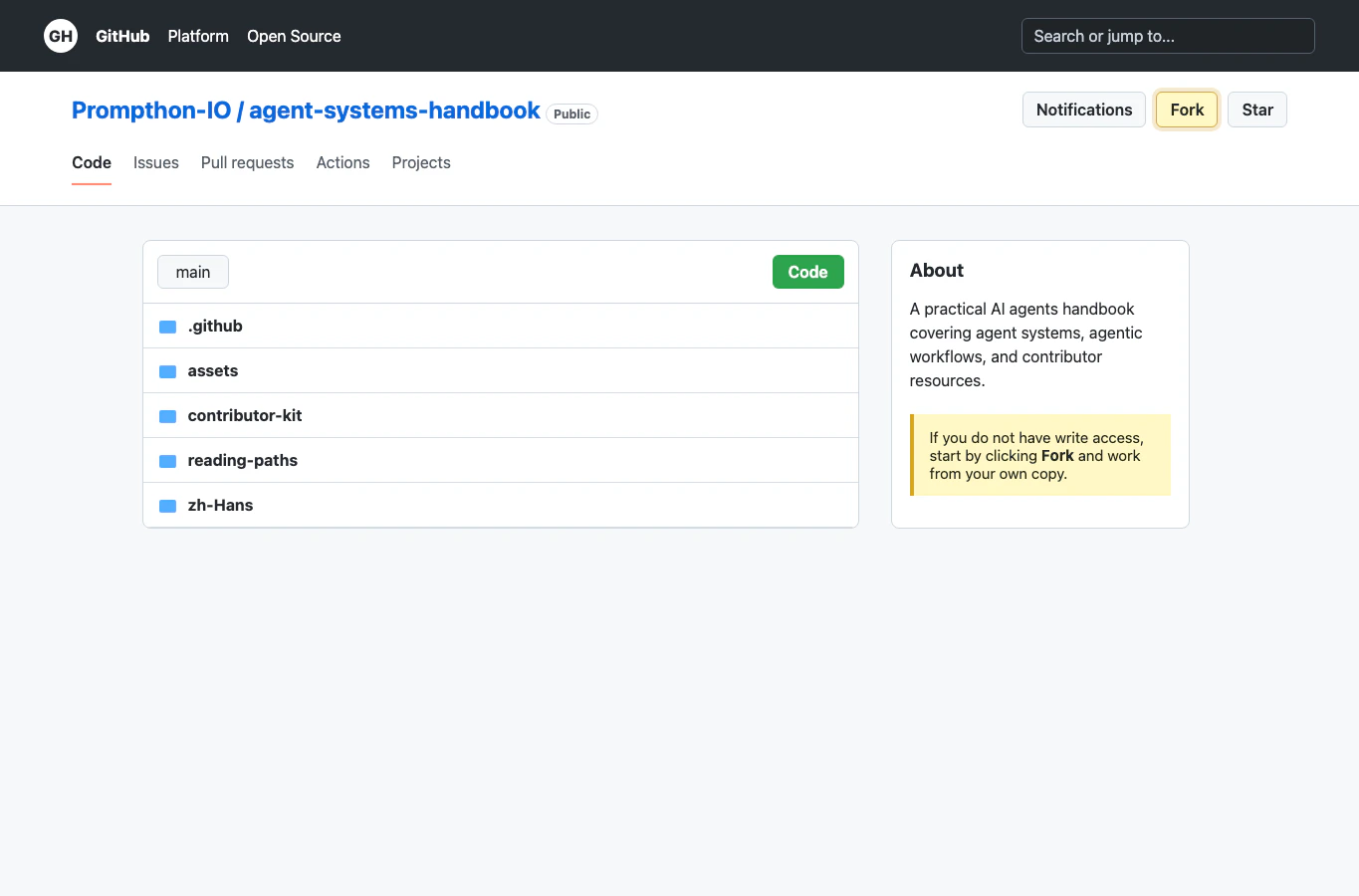 然后从你的 fork 工作:
1. 基于最新 `develop` 创建分支。
2. 让分支聚焦在已认领的 issue 上。
3. 把文件放到正确的贡献 lane 或模板路径。
4. 添加或更新链接,让工作可被发现。
5. 运行对应指南中列出的检查。
如果你有写权限,可以在主仓库创建分支,但规则不变:一个分支应该对应一个清晰的 issue 或结果。
## 打开 Pull Request
将 pull request 打到 `Prompthon-IO/agent-systems-handbook:develop`。
`main` 只保留给维护者执行的发布 PR 和 Mintlify 生产环境部署。
然后从你的 fork 工作:
1. 基于最新 `develop` 创建分支。
2. 让分支聚焦在已认领的 issue 上。
3. 把文件放到正确的贡献 lane 或模板路径。
4. 添加或更新链接,让工作可被发现。
5. 运行对应指南中列出的检查。
如果你有写权限,可以在主仓库创建分支,但规则不变:一个分支应该对应一个清晰的 issue 或结果。
## 打开 Pull Request
将 pull request 打到 `Prompthon-IO/agent-systems-handbook:develop`。
`main` 只保留给维护者执行的发布 PR 和 Mintlify 生产环境部署。
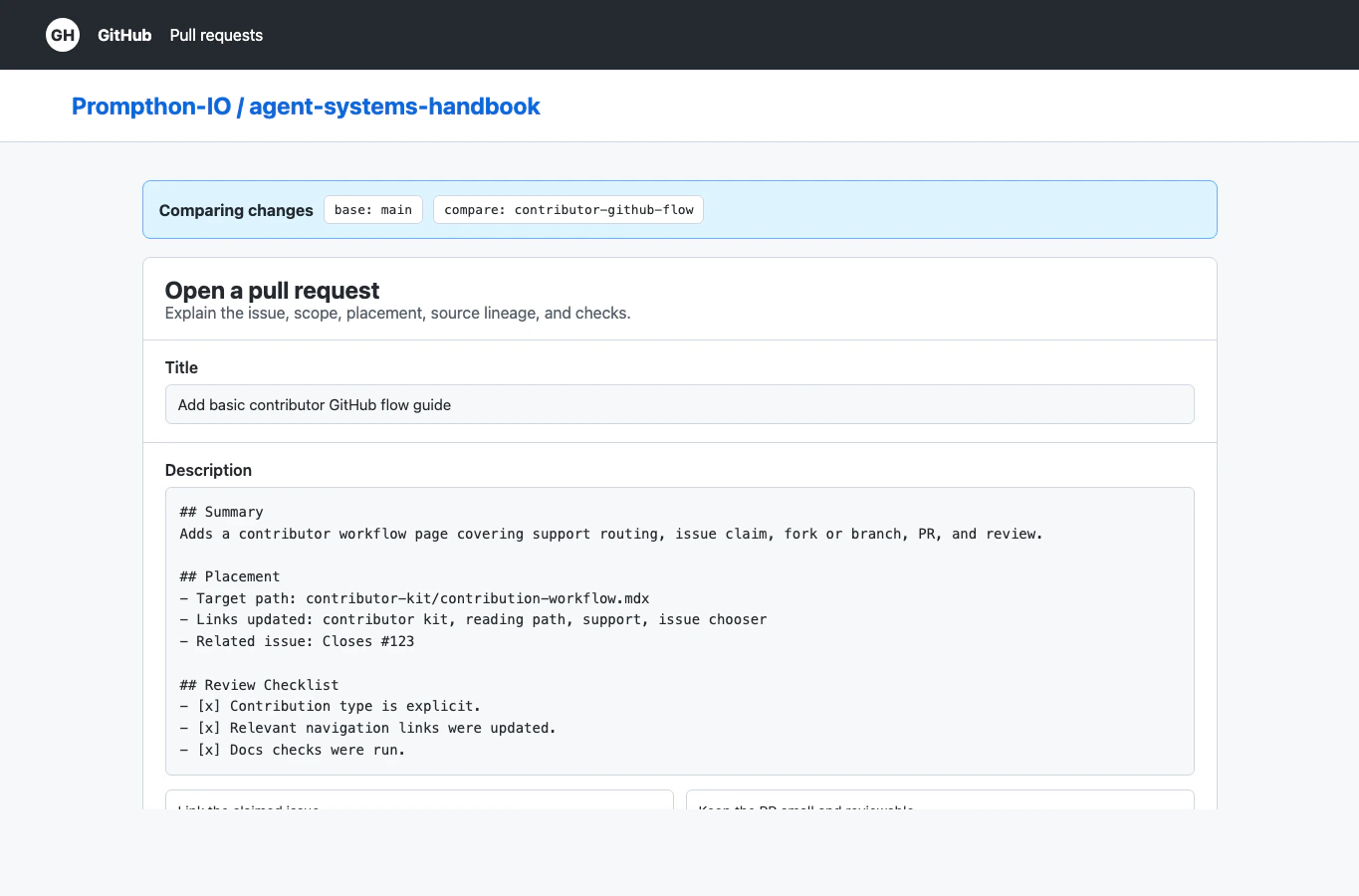 在 pull request 正文中:
* 链接你认领的 issue。
* 从模板中选择贡献类型。
* 写明目标路径,以及更新过的索引或导航链接。
* 如果外部材料影响了工作,请说明来源谱系。
* 列出你运行过的检查。
* 让范围足够小,使 reviewer 能一次看懂。
如果工作还没准备好但希望提前确认方向,请使用 draft PR。只有当页面、链接、截图和检查都完成后,再标记为 ready。
## Review 与合并
PR thread 是主要 review 位置。如果 reviewer 要求修改,请在 thread 中回应,并把后续 commit 推到同一个分支。
请求合并前:
* 重新阅读 [Review Checklist](/zh-Hans/contributor-kit/review-checklist)。
* 确认贡献类型和位置正确。
* 确认新增或修订页面已经从相关 contributor 或 reading-path 页面链接出去。
* 确认截图没有暴露私人账号数据、token、草稿或通知。
* 如果 PR 修改了示例代码,运行 `python3 scripts/verify_example_projects.py`。
* 如果 PR 移动或重命名文件,运行 `python3 scripts/check_filename_casing.py`。
对于只改文档的变更,还要运行:
```bash theme={null}
npx mint validate
npx mint broken-links
```
## 维护者期望
维护者应让公开状态容易理解:
* 当公开贡献者正在处理 issue 时,使用 `claimed`。
* 如果工作停滞,移除 `claimed` 或留下状态评论。
* 尽量把反馈留在 issue 或 PR 中,方便后续贡献者理解决定。
* 对早期、高层次问题,应引导回 Discord,而不是强迫所有对话都变成 issue。
在 pull request 正文中:
* 链接你认领的 issue。
* 从模板中选择贡献类型。
* 写明目标路径,以及更新过的索引或导航链接。
* 如果外部材料影响了工作,请说明来源谱系。
* 列出你运行过的检查。
* 让范围足够小,使 reviewer 能一次看懂。
如果工作还没准备好但希望提前确认方向,请使用 draft PR。只有当页面、链接、截图和检查都完成后,再标记为 ready。
## Review 与合并
PR thread 是主要 review 位置。如果 reviewer 要求修改,请在 thread 中回应,并把后续 commit 推到同一个分支。
请求合并前:
* 重新阅读 [Review Checklist](/zh-Hans/contributor-kit/review-checklist)。
* 确认贡献类型和位置正确。
* 确认新增或修订页面已经从相关 contributor 或 reading-path 页面链接出去。
* 确认截图没有暴露私人账号数据、token、草稿或通知。
* 如果 PR 修改了示例代码,运行 `python3 scripts/verify_example_projects.py`。
* 如果 PR 移动或重命名文件,运行 `python3 scripts/check_filename_casing.py`。
对于只改文档的变更,还要运行:
```bash theme={null}
npx mint validate
npx mint broken-links
```
## 维护者期望
维护者应让公开状态容易理解:
* 当公开贡献者正在处理 issue 时,使用 `claimed`。
* 如果工作停滞,移除 `claimed` 或留下状态评论。
* 尽量把反馈留在 issue 或 PR 中,方便后续贡献者理解决定。
* 对早期、高层次问题,应引导回 Discord,而不是强迫所有对话都变成 issue。