> ## Documentation Index
> Fetch the complete documentation index at: https://labs.prompthon.io/llms.txt
> Use this file to discover all available pages before exploring further.
# OpenClaw Windows Setup
> Prepare WSL2, Node 22, npm, and Codex before continuing to OpenClaw onboarding.
This setup path is for Windows users. OpenClaw workshop commands should run
inside Ubuntu on WSL2 unless a later step explicitly says otherwise.
## Install Or Verify WSL2
Open PowerShell and check your current WSL status:
```powershell theme={null}
wsl --status
wsl -l -v
```
You should see Ubuntu running on WSL version 2:
```text theme={null}
NAME STATE VERSION
* Ubuntu Running 2
```
If Ubuntu is installed but still on WSL1, convert it:
```powershell theme={null}
wsl --set-version Ubuntu 2
```
If WSL is missing, run PowerShell as Administrator and install it:
```powershell theme={null}
wsl --install
```
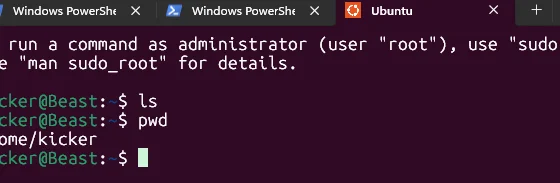
## Enter Ubuntu
Open Ubuntu from your Windows terminal.
 Prepare local binary folders and npm's global prefix:
```bash theme={null}
mkdir -p ~/.local ~/.local/bin ~/.npm-global/bin
npm config set prefix "$HOME/.npm-global"
```
## Install Node.js With NVM
In the Ubuntu terminal, install and load `nvm`:
```bash theme={null}
curl -o- https://raw.githubusercontent.com/nvm-sh/nvm/v0.39.7/install.sh | bash
export NVM_DIR="$HOME/.nvm"
[ -s "$NVM_DIR/nvm.sh" ] && . "$NVM_DIR/nvm.sh"
```
Install and use Node 22:
```bash theme={null}
nvm install 22
nvm use 22
```
Verify Node and npm:
```bash theme={null}
node -v
npm -v
```
## Install Codex CLI
Install Codex globally inside WSL:
```bash theme={null}
npm i -g @openai/codex
codex --version
```
Then continue to [Accounts And Onboarding](/workshops/openclaw/accounts-and-onboarding).
Prepare local binary folders and npm's global prefix:
```bash theme={null}
mkdir -p ~/.local ~/.local/bin ~/.npm-global/bin
npm config set prefix "$HOME/.npm-global"
```
## Install Node.js With NVM
In the Ubuntu terminal, install and load `nvm`:
```bash theme={null}
curl -o- https://raw.githubusercontent.com/nvm-sh/nvm/v0.39.7/install.sh | bash
export NVM_DIR="$HOME/.nvm"
[ -s "$NVM_DIR/nvm.sh" ] && . "$NVM_DIR/nvm.sh"
```
Install and use Node 22:
```bash theme={null}
nvm install 22
nvm use 22
```
Verify Node and npm:
```bash theme={null}
node -v
npm -v
```
## Install Codex CLI
Install Codex globally inside WSL:
```bash theme={null}
npm i -g @openai/codex
codex --version
```
Then continue to [Accounts And Onboarding](/workshops/openclaw/accounts-and-onboarding).