> ## Documentation Index
> Fetch the complete documentation index at: https://labs.prompthon.io/llms.txt
> Use this file to discover all available pages before exploring further.
# OpenClaw Accounts And Onboarding
> Create the Discord bot, optionally prepare Tavily, install OpenClaw, and run onboarding.
Use this page after the Windows or Mac setup page. It prepares the account
pieces that OpenClaw needs for a Discord-backed workshop agent.
Bot tokens and API keys are secrets. Keep them out of screenshots, pull
requests, chat messages, and public docs.
## Create A Discord Bot
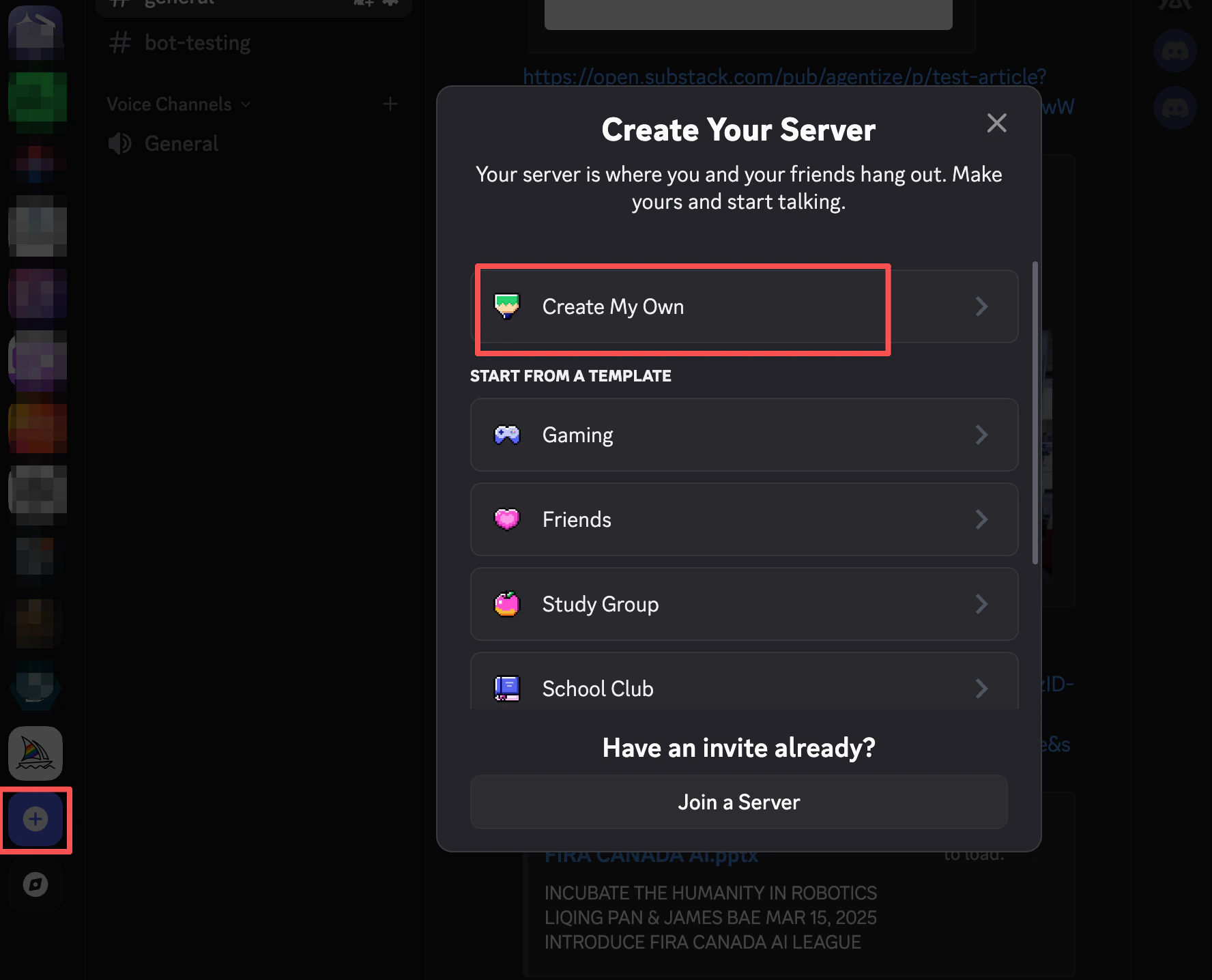
1. Install Discord from [discord.com](https://discord.com/) and create or sign in
to your account.
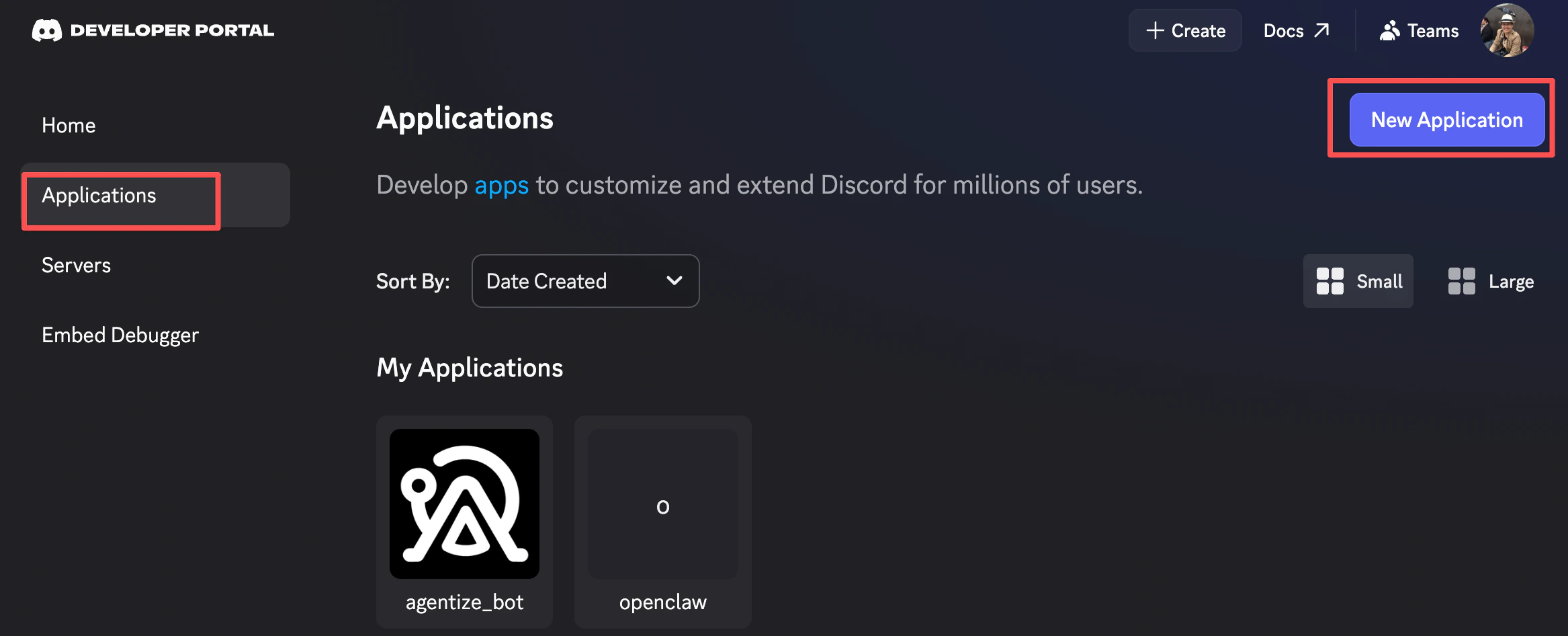
 2. Open the [Discord Developer Portal](https://discord.com/developers/home) and
create an application.
2. Open the [Discord Developer Portal](https://discord.com/developers/home) and
create an application.
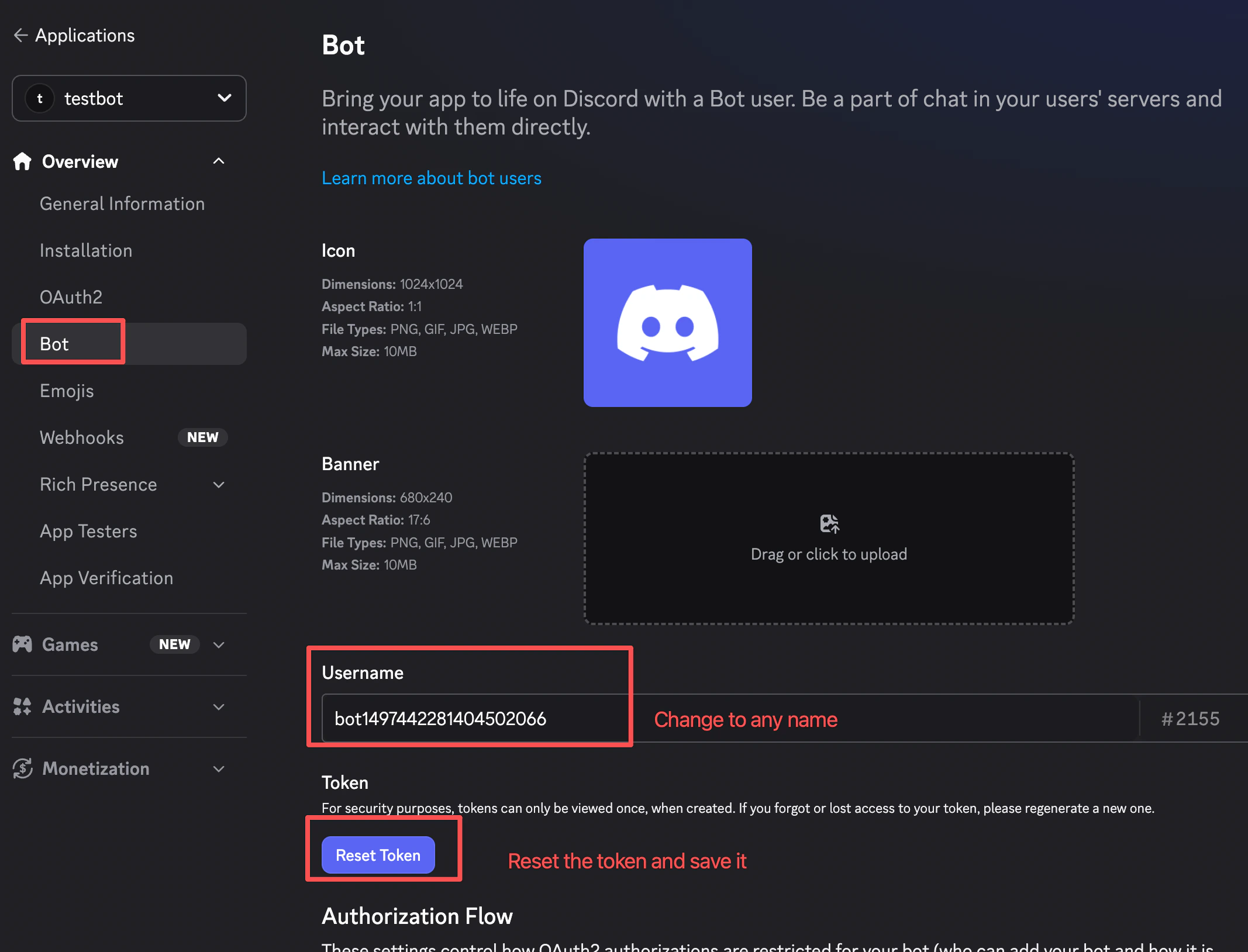
 3. Add a bot to the application.
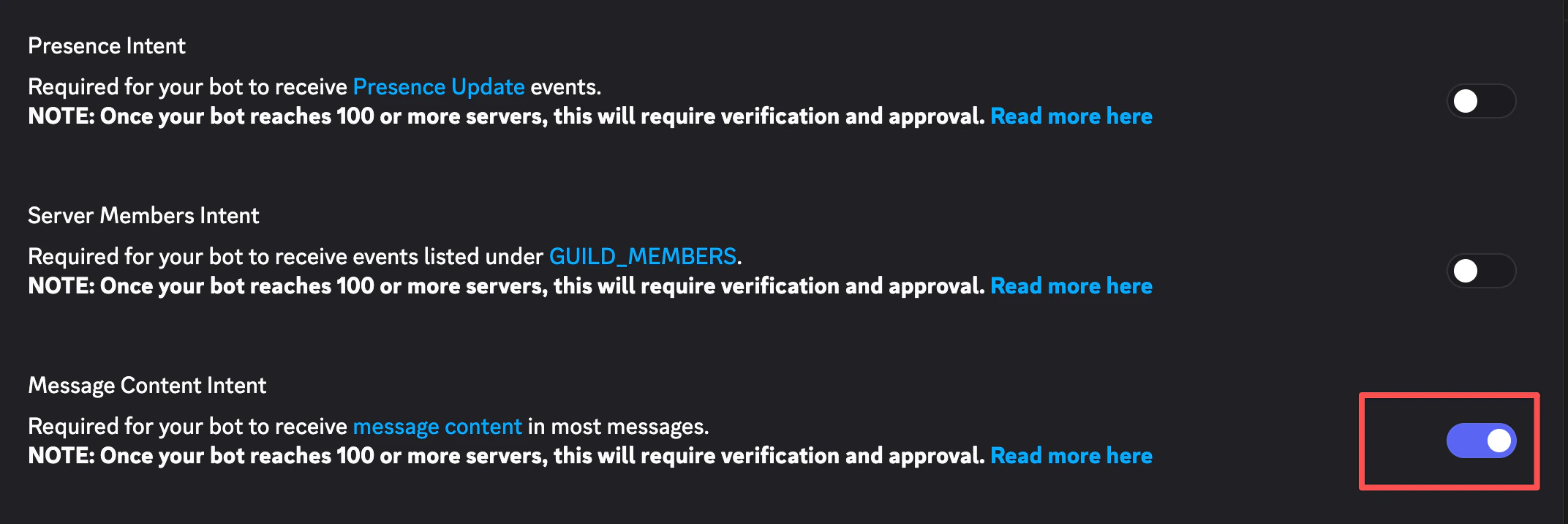
 4. Enable the bot intents required by your workshop flow. For the OpenClaw
workshop, enable Message Content Intent.
4. Enable the bot intents required by your workshop flow. For the OpenClaw
workshop, enable Message Content Intent.
 5. Generate or copy the bot token and save it locally for onboarding. Do not
paste it into source files.
6. Authorize the bot into the Discord server you will use for the workshop.
5. Generate or copy the bot token and save it locally for onboarding. Do not
paste it into source files.
6. Authorize the bot into the Discord server you will use for the workshop.
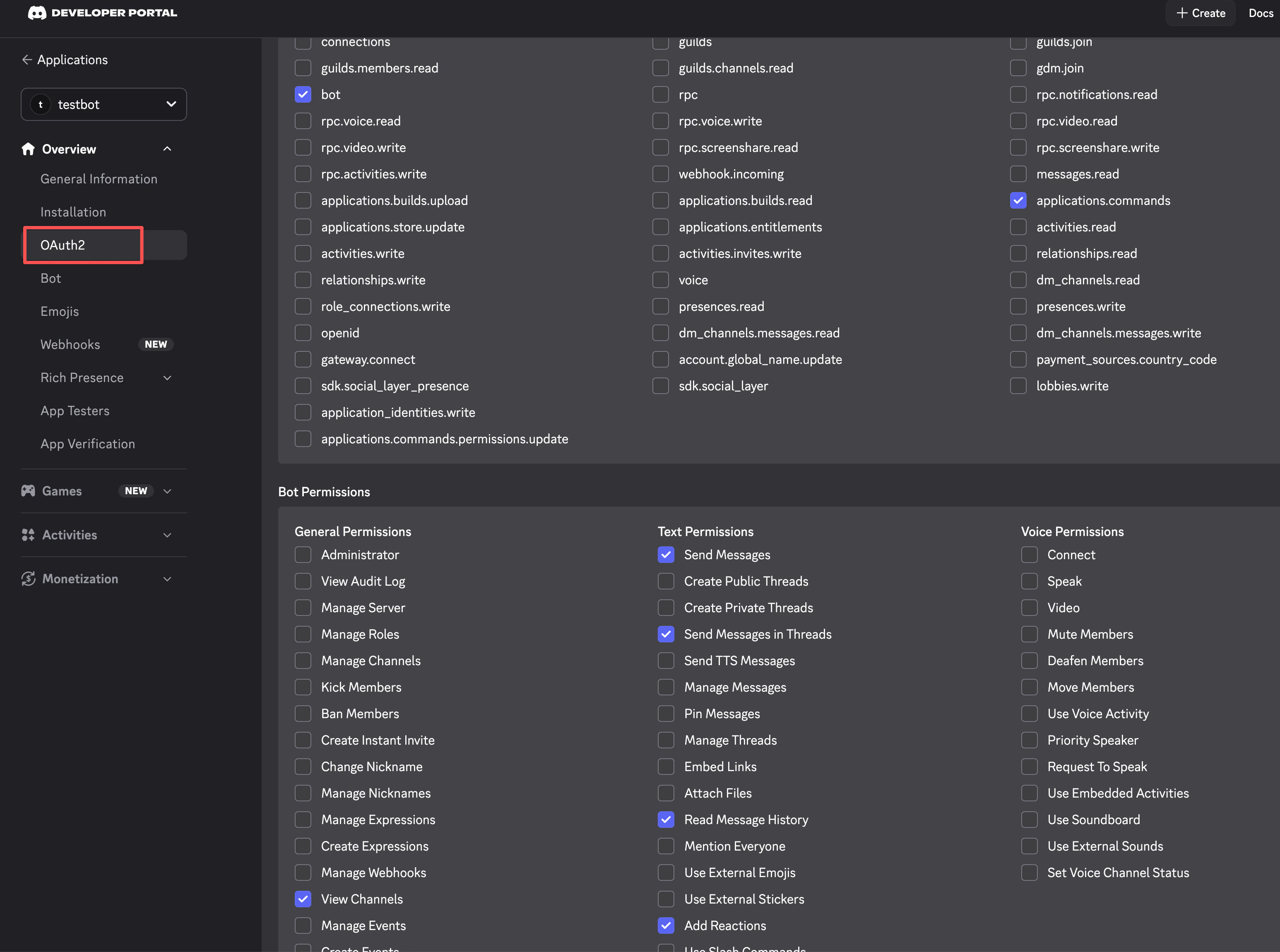 If Discord gives you an OAuth URL, open a new tab and paste it there.
 ## Optional: Prepare Tavily Search
Use Tavily only if you want agents to perform web searches during the workshop.
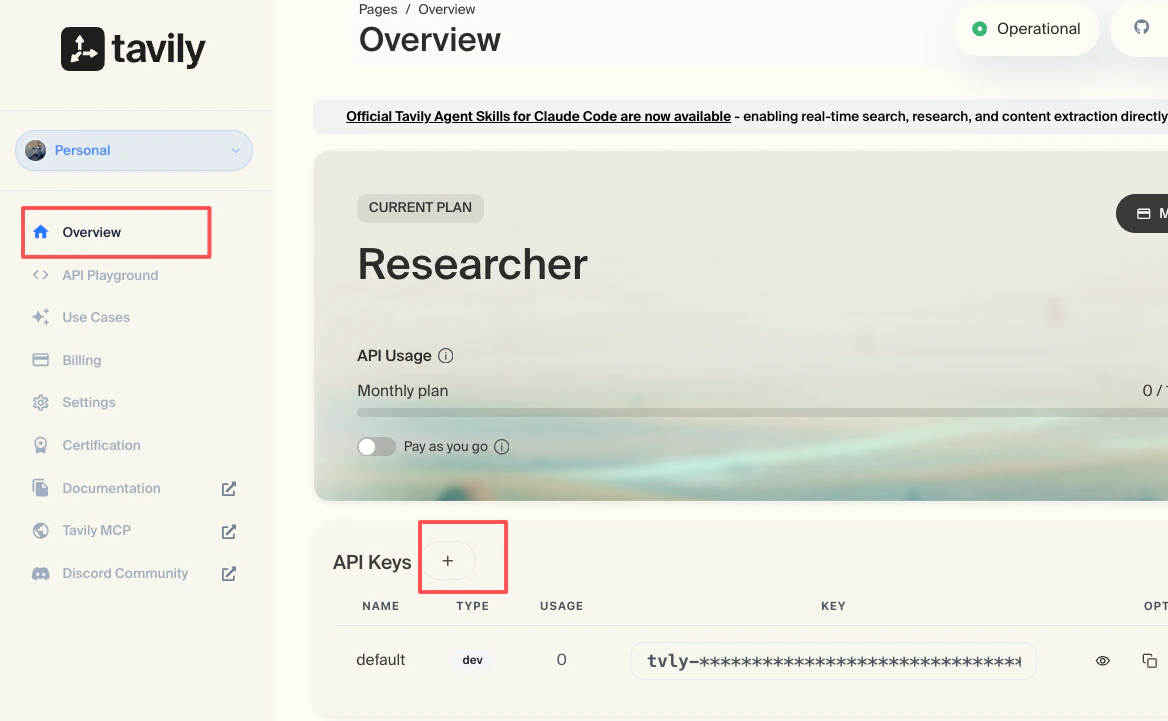
1. Go to [tavily.com](https://www.tavily.com/) and create an account.
2. Create an API key and save it locally for onboarding.
## Optional: Prepare Tavily Search
Use Tavily only if you want agents to perform web searches during the workshop.
1. Go to [tavily.com](https://www.tavily.com/) and create an account.
2. Create an API key and save it locally for onboarding.
 If you skip Tavily, the agent can still run local workflows, but web-search
features will not be available.
## Install OpenClaw
Install the CLI:
```bash theme={null}
npm install -g openclaw@latest
```
Check the installed version and run diagnostics:
```bash theme={null}
openclaw --version
openclaw doctor
```
## Run Onboarding
Start onboarding:
```bash theme={null}
openclaw onboard --install-daemon
```
During onboarding:
* For channel, select `Discord`.
* Paste the Discord bot token when prompted.
* Allow all channels unless your workshop has a narrower channel policy.
* For search provider, select `Tavily` and paste the API key if you created one.
* For skills, enable `summarize`.
* For hooks, enable `command-logger` and `session-memory`.
* For bot launch, select `hatch in terminal`.
After onboarding, keep [OpenClaw Commands](/workshops/openclaw/commands) open as
the quick reference.
If you skip Tavily, the agent can still run local workflows, but web-search
features will not be available.
## Install OpenClaw
Install the CLI:
```bash theme={null}
npm install -g openclaw@latest
```
Check the installed version and run diagnostics:
```bash theme={null}
openclaw --version
openclaw doctor
```
## Run Onboarding
Start onboarding:
```bash theme={null}
openclaw onboard --install-daemon
```
During onboarding:
* For channel, select `Discord`.
* Paste the Discord bot token when prompted.
* Allow all channels unless your workshop has a narrower channel policy.
* For search provider, select `Tavily` and paste the API key if you created one.
* For skills, enable `summarize`.
* For hooks, enable `command-logger` and `session-memory`.
* For bot launch, select `hatch in terminal`.
After onboarding, keep [OpenClaw Commands](/workshops/openclaw/commands) open as
the quick reference.